Work Sequence Default Settings

Contents
The default settings for Service Order Status and the Work Sequence Number may be changed by selecting the Order Status option under the File > Program Administration menu option.
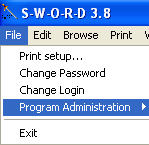
File > Program Administration Menu Option
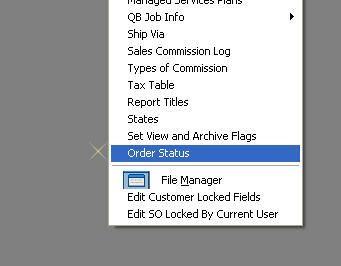
Service Order Status Options Menu
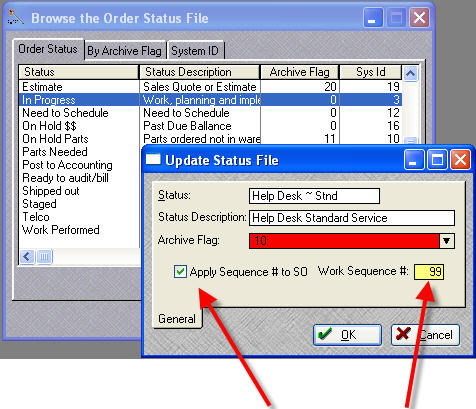
SO Status and Work Sequence Settings
To set a Work Sequence # to an SO Status the APPLY SEQUENCE # TO SO checkbox must be checked and a Work Sequence Number must be set from 0 to 99.