View Levels for Service Orders

Contents
SWORD View Levels & Status Fields
The SWORD Service Order (SO) database file contains a numeric field called [View Level] in each record. The [View Level] is used to filter the display for each user and to show the progress of a Service Order in the database. You can use up to 100 different [View Levels] in SWORD. The following Table shows the default SWORD [View Levels] and should not be modified:
Numeric Value & View Level |
Purpose & Description |
0-9 |
Service Orders entered and work is in-progress. |
10 |
Service Orders assigned to Help Desk |
11 |
Service Orders that require parts |
20-29 |
Sales Quotations |
50 |
Work has been performed |
60 |
Service Order completed and paperwork returned |
70 |
Service Order Ready to Bill pending final audit |
80 |
Service Order has been Invoice & Posted |
90 |
Archive & Transfer To Customer History or Log File |
99 |
Delete or Purge from Database |
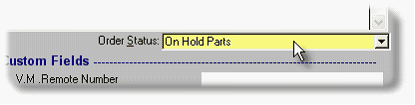
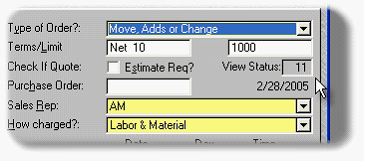
View Levels are associated with Order Status. The images below shows a Service Order with a STATUS of On Hold Parts and the View Status/Level of 11.