How do I delete a Service Order?

Contents
How do I delete a Service Order?
Deleting a Service Order requires a user to have security access to the Program Administration and Audit Orders for Billing sections.
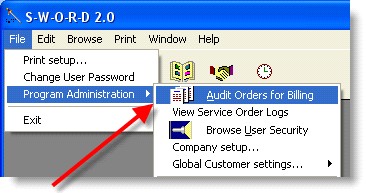
Open the Audit Orders for Billing window. Select the Service Order that you wish to delete and using your mouse press the right-click button.
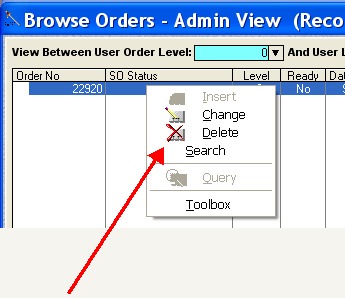
Select the Delete option from the mouse-pop-up window.